Save 20%Today only. Once it’s gone, it’s gone — grab yours before it sells out.
One-time purchase
No commitment, buy once.
£14.70
One-time price
Save
Most popular choice
Please choose a delivery frequency before adding to basket.
✓ Save on every order✓ Change or cancel anytime✓ Skip or delay deliveries£13.23£14.70
Save £1.47
Couldn't load pickup availability
Next Day Delivery availableOrder by 2pmMon–Fri
Order by 2pm (Mon–Fri) for next working day delivery.
Orders placed after 2pm or on weekends are processed the next working day.
Description
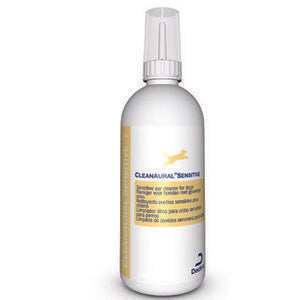
Cleanaural Sensitive for dogs is a specially formulated solution of organic solvents and moisturisers designed to clean both healthy and infected ears and maintain them in good condition. Cleaning your dog's ears can be easy, but you'll need to follow proper precautions. Dr. Mike walks you through a routine ear cleaning step-by-step so that you can perform ear cleaning for your dog. If there is an ear infection you'll learn what precautions to take and what to discuss with your vet.
Rapidly softens and dissolves hardened accumulated wax and debris
My dog westie/Snauzer cross is prone to ear infections and I use this regularly to keep them at bay. It works well and he tolerates it well too, especially if I put it in warm water to take the chill off it before using. Works well and not too greasy.
C
Caron
Funky ears!
Helps my cocker spaniels ears as he is prone to ear infections due to his floppy ears!
A
Andre
Review
This is cheaper than the vets and works well stops the dog clawing his ear when scratching definitely eases the discomfort
a
anonymous
Review
Very fast delivery. Great product at a low price (it was on offer). Sprayed my cocker spaniel's itchy ear with one spray and itching stopped within 24 hours. Very happy customer and dog.
L
Lynsey tomlin
Review
Great service & the website is full of great products at great prices definitely recommend to a friend.
Pet Supermarket operated by Fetch! Retail Limited Address - Unit 1, Paramount House Gelderd Road, Birstall, Batley, England, WF17 9QD
Choosing a selection results in a full page refresh.
Opens in a new window.
PayPal Pay Later Messaging
Step 1: Choose message placement
Click the button below and then hover over your page to select a placement.
Step 2: Paste and save
You have copied the placement for the Product Page.
Go back to the App Embeds section, and in the Paypal Advanced Settings, paste the copied value into the
Product Page field and click the 'Save' button in the top right corner.