One-time purchase
No commitment, buy once.
£97.55
One-time price
Save
Most popular choice
Please choose a delivery frequency before adding to basket.
✓ Save on every order✓ Change or cancel anytime✓ Skip or delay deliveries£87.79£97.55
Save £9.76
Couldn't load pickup availability
Next Day Delivery availableOrder by 2pmMon–Fri
Order by 2pm (Mon–Fri) for next working day delivery.
Orders placed after 2pm or on weekends are processed the next working day.
Description
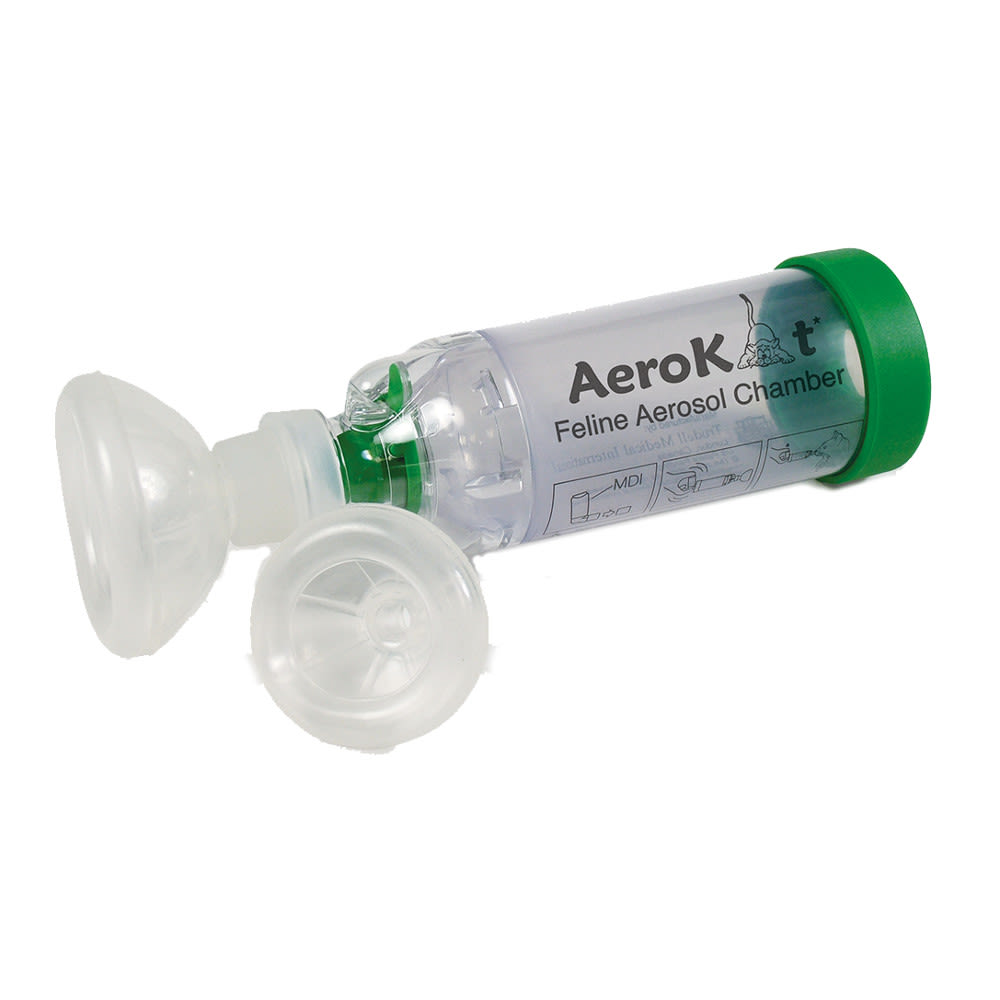
The Aerokat Feline Aerosol Chamber is for domestic cats that suffer from asthma.
How it works
The chamber is designed to fit over your cat’s nose and mouth and help in successful delivery of medications.The mask fit enhances the delivery and a patented 'Flow-Vu' device flutters when your cat is inhaling medication, showing you how many breaths of medication your cat has taken. The chamber is compact and can be easily dismantled when needed. Comes complete with a small and a large face mask.
Key benefits:
Deigned to comfortably fit your cat’s nose and mouth
A great aid in delivering your cat’s asthma medication
The small chamber size and low resistance valve of the AeroKat ensures optimum delivery of the aerosol cloud into the small airways of your cat
Its compact size allows easy handling and the unit can also be dismantled and easily cleaned
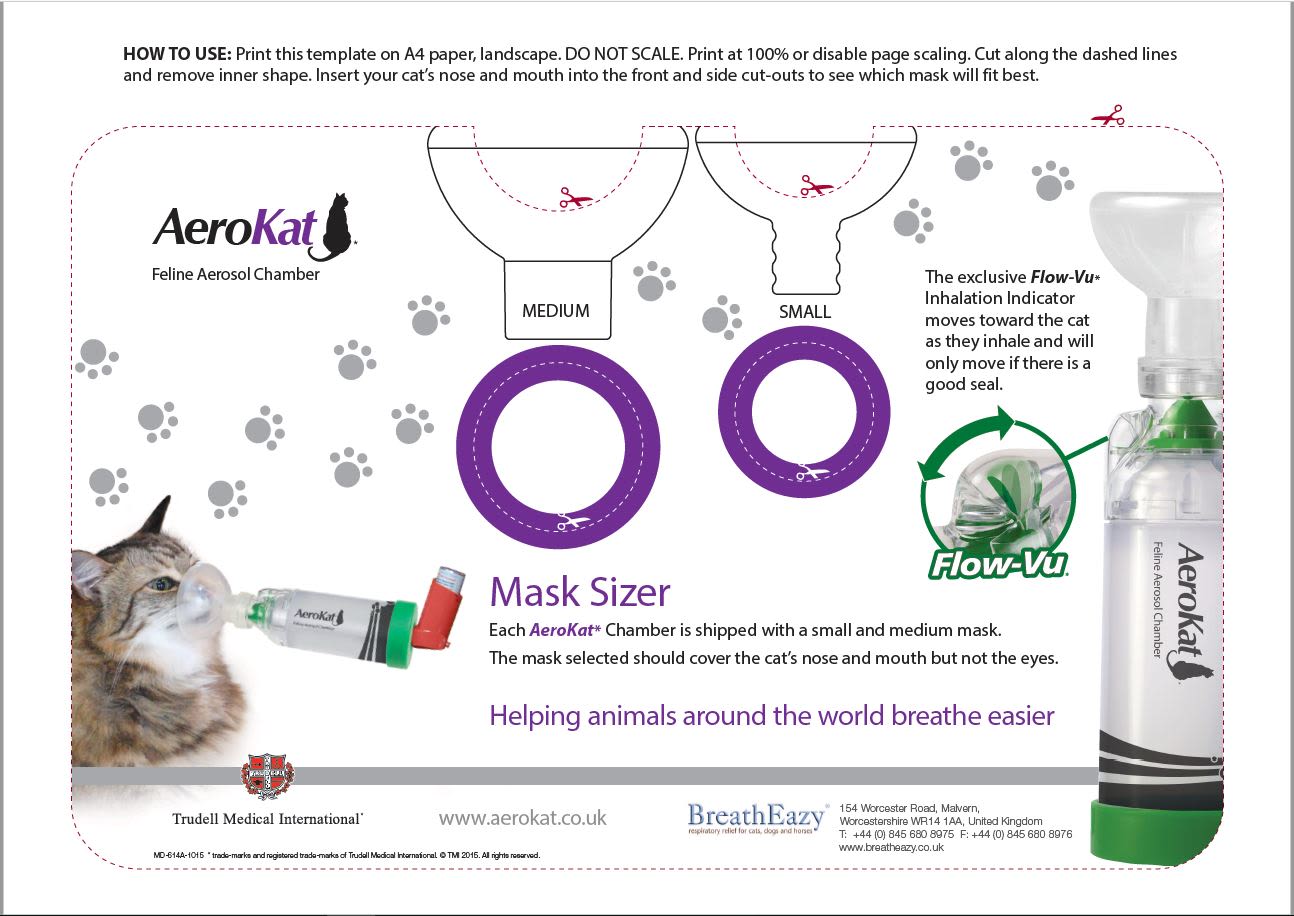
The kit includes one chamber and a medium & a small face mask.
When to use it
Asthma in felines can often be confused with hairballs. Symptoms are similar and include wheezing, coughing and open mouth breathing. If your cat has been diagnosed with asthma by your vet, the AeroKat Feline Aerosol Chamber helps to deliver the medication as effectively as possible.
Size Guide
Additional Information
SKU:I0005875Copied!
Aerokat Feline Aerosol Chamber for Cat
Purchase options:
Please choose a delivery frequency before adding to basket.
✓ Save on every order✓ Change or cancel anytime✓ Skip or delay deliveries
Pet Supermarket operated by Fetch! Retail Limited Address - Unit 1, Paramount House Gelderd Road, Birstall, Batley, England, WF17 9QD
Choosing a selection results in a full page refresh.
Opens in a new window.
PayPal Pay Later Messaging
Step 1: Choose message placement
Click the button below and then hover over your page to select a placement.
Step 2: Paste and save
You have copied the placement for the Product Page.
Go back to the App Embeds section, and in the Paypal Advanced Settings, paste the copied value into the
Product Page field and click the 'Save' button in the top right corner.


 Save
Most popular choice
Please choose a delivery frequency before adding to basket.
✓ Save on every order
✓ Change or cancel anytime
✓ Skip or delay deliveries
£87.79
Save
Most popular choice
Please choose a delivery frequency before adding to basket.
✓ Save on every order
✓ Change or cancel anytime
✓ Skip or delay deliveries
£87.79